
QC concerns the goods received at the warehouse, not just the listing that attracted you. Begin with your selected model, size, colour and quantity, then inspect the views that can answer a real question. The aim is a clear item decision before packing.
Compare identity before small details
Check whether the photographed version matches the option you ordered. For a personalised jersey, that includes the selected season, cut and print. Explore jerseys in the catalog with those choices recorded before purchase.
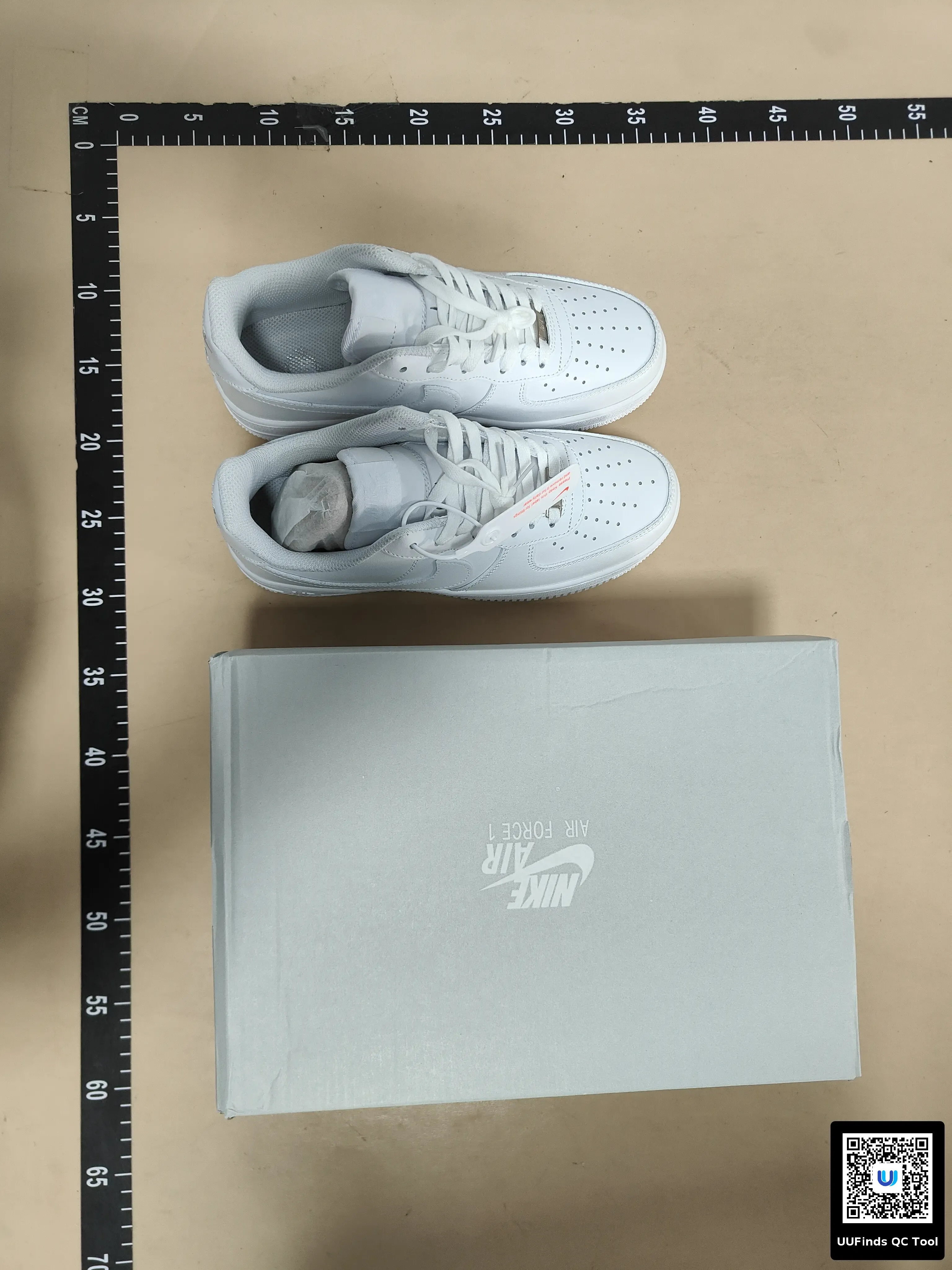
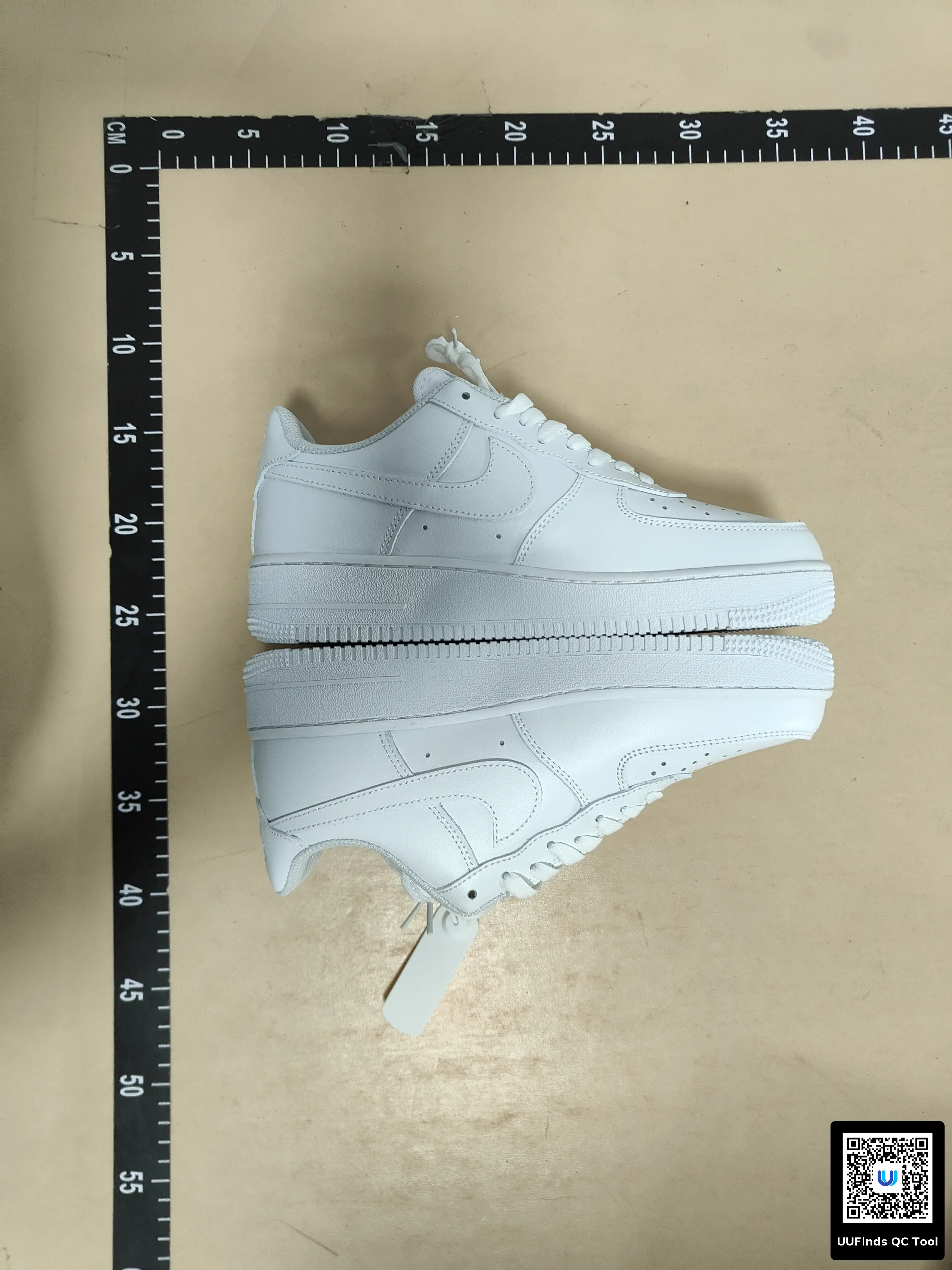
The public shoe references below show a top view and a view with the pair facing opposite directions. They illustrate visible shapes, panels and sole edges. They are not your order or a verified match to another the catalog offer.
Ask for a view that answers the question
An unclear size label needs a readable label image. A garment-width question needs defined measuring points. A printed name on the back needs that side visible. More general photographs can leave the same issue unresolved.
A photo cannot establish every hidden property. Joyagoo describes electronics QC as visual rather than powering devices on. Visible condition is not the same as function, comfort, material composition or authenticity.
Decide while the relevant conditions apply
You may keep the item, clarify a specific point or ask about an eligible return. For eligible goods, the described request period is five days or 120 hours after QC, with seller, condition, packaging and exclusion rules.
Read returns promptly if that is the next step. A longer warehouse-storage allowance does not extend the return window. Keep unresolved goods separate from the ready parcel plan.
Share only the product context
Before asking a public community for an opinion, remove names, addresses, account details, order and tracking identifiers. Keep the relevant product area visible without exposing the transaction around it.
The shoe guide adds category-specific questions. Spreadsheet links explains the record worth saving before payment, and the buying guide connects the received-item inspection with the later packing and international service decision.
Electronics and iPhone offers need a different kind of check
Identify whether an iPhone query leads to a case, another accessory or a device, and confirm what is included. A case needs model compatibility; a device needs evidence about condition and functions beyond an exterior view.
Joyagoo describes electronics QC as visual inspection, not power-on testing. Pictures do not establish battery health, activation, connectivity or reliable operation. Identify which evidence could answer the function-related question before deciding.
For battery-containing goods, check transport restrictions and eligible services before buying, preserving protective packing where needed. The shipping guide explains parcel comparison but does not certify every device's acceptance.
Joyagoo quality: preserve the distinction between evidence and inference
Condition, fit, material and function are not the same check. A close-up may show a visible seam defect, and a measurement may help with fit. Neither proves composition, authenticity or long-term performance.
Ask which information could resolve your specific concern instead of merely accumulating general pictures. Electronics visual inspection does not include power-on testing. Keep this item-level decision distinct from the service review, and resolve important differences before the parcel is prepared.
Jerseys: check the selected design and personalisation
A jersey offer may contain several shirts under the same team name. Season, home or away design, cut and personalisation can change the actual choice. Save those details together so a later visit does not quietly become a different configuration.
Read the cut and measurements together
Use the information supplied for the selected version. A familiar letter size on another garment is not enough to compare a different cut. Measure an existing shirt consistently if that helps identify the proportions you prefer.
Confirm every printing choice
If personalisation is offered, check spelling, number, placement and colour. Retain the completed option, not just the base garment link. A price without printing may not be the price for your intended configuration.
Read applicable return exclusions and conditions before paying. The platform's eligible return window is not a promise that every personalised product can be returned under every circumstance.
Ask for the relevant QC view
When the jersey reaches the warehouse, compare the exact version and selected print. A front image cannot confirm a name on the back. Request a readable view of that area when needed rather than another unrelated angle.
QC photos explains how to make that request useful. Returns covers timely questions about eligible discrepancies, separately from storage.
Once the item is settled, use shipping guidance and the buying guide for the parcel. Spreadsheet links keeps the chosen season, cut and printing connected with the address for future reference.